Fraimic Canvas
MSRP $1,299.00
Released January 2026
“The Fraimic Canvas is high quality and has lots of extras”
Pros
- Looks convincing
- Beautiful E ink display
- Lots of fun features
Cons
- Relies on natural light
- Battery can run out quickly if not careful
- Missing an app
QuickTake: Very cool tech that should get better
The Fraimic Canvas is a picture frame that can paint its own art when you talk with it, thanks to the use of AI and a beautiful E ink display. Sounds like a gimmick, but after living with it for a while, I can assure you it’s not. The AI features are not simple to use, however, and the appeal wore off for me after a while. The good news is that when left alone on the wall, the Fraimic Canvas is one of the most convincing digital frames I have used.
The smart features are great and got me excited about this product, but they ask a lot of you to figure them out. Overall, there are a few things I needed to learn and plan around, but ultimately whether that was worth it for me depends a lot on where you want to hang it and how you want the picture to change.
Specs and Pricing
| Spec | Standard Canvas | Large Canvas |
| Price | $399 | $1,299 |
| Display | 13.3-inch Spectra 6 E Ink | 31.5-inch Spectra 6 E Ink |
| Resolution | 1600 x 1200 (150 PPI) | 2560 x 1440 (94 PPI) |
| Frame size | 14 x 18 x 1 inches | 24 x 36 x 2 inches |
| Weight | About 6 pounds | About 16 pounds |
| Battery | 10,000mAh, USB-C | 10,000mAh, USB-C |
| AI credits | 100 per year included | 100 per year included |
| Smart home | REST API, Home Assistant | REST API, Home Assistant |
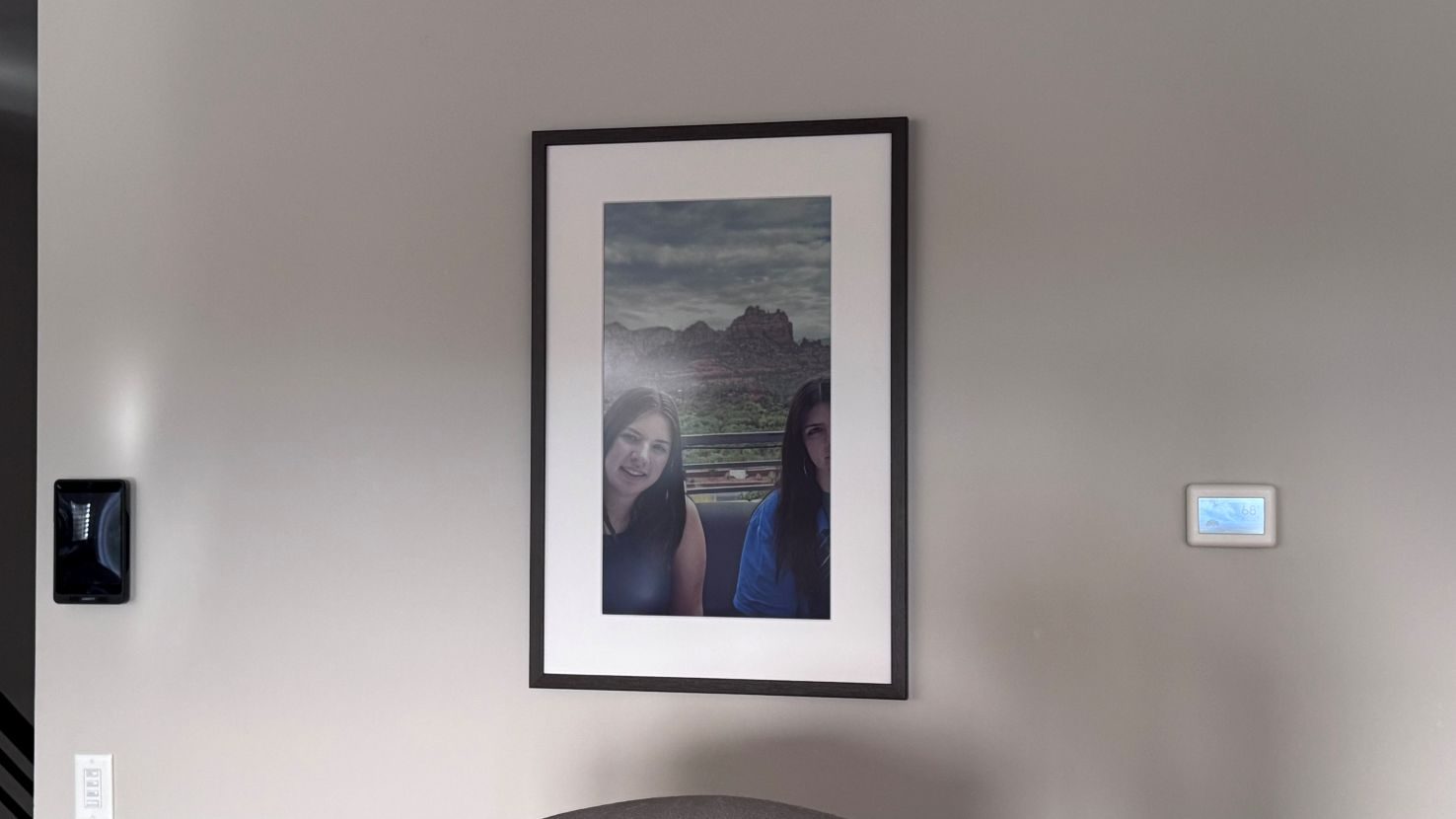
What the Fraimic Canvas actually is
The Fraimic Canvas doesn’t come with an app to download, so setup happens through your phone or computer’s Wi-Fi settings. You wake the frame and join a temporary network it creates (it shows up as “Fraimic” followed by a few characters). A setup page then opens where I entered my Wi-Fi details for my home. The page popped up for me, but not my wife, who had to manually go to Fraimic local in her web browser. After that, I had to create an account at app.fraimic.com, and the Canvas was ready to go for me.
Setup is simple, but a little old-school
Anyone who has set up a smart plug or a smart security camera will recognize the routine. It isn’t hard, but it’s a little clunkier than scanning a QR code in an app. Most robot pool cleaners I review, for example, have switched over to using a QR code for setting them up on my local Wi-Fi, and this is a feature I would like to see Fraimic have in the future. Fraimic’ s own FAQ page on their site spends a fair amount of space on setup troubleshooting, like the portal not appearing or a blinking red light after a wrong Wi-Fi password, which tells you where people will tend to get stuck. I often had to look up the blinking light codes to understand what was going on, several times.

It looks like a true painting, not a screen
The Fraimic Canvas uses E-ink’s Spectra 6 color panel, which is the same panel you would find in a popular eReader, just at a much bigger size. There isn’t a backlight, and the matte screen reflects whatever light is in the room, the way paper art would. Fraimic quotes up to 65,000 colors in its FAQ and a 60,000-color gamut on its spec sheet. The correct answer should be 60,000.
In person, I think the Fraimic Canvas is beautiful. A short distance away, the colors look brushed onto a canvas instead of coming from a screen, with paintings and illustrations looking the best. Family pictures that I uploaded looked good from a distance, but the colors and pixels show when you get closer. That’s the main reason for me to pick this over a regular digital photo frame. It doesn’t glow, so it doesn’t look like somebody hung a TV in the hallway. There are pros and cons to this.
Spectra 6 is still E ink, though, and it certainly has its limitations. Contrast on the panel is 30:1, which is considerably lower than any LCD or OLED panel out there, for example. Fine gradients like a sunset sky can show visible banding (color borders between color shades), and portraits of detailed photos of people can come across with pale or slightly off skin tones depending on the photos. I was happier with the Canvas when we stuck mostly to art and landscapes.
The two Canvas sizes also differ in resolutions. The Standard packs 1600 x 1200 pixels into 13.3 inches, which works out to 150 pixels per inch. The Large stretches 2560 x 1440 across 31.5 inches, for just 94 pixels per inch. When I got up close, I could see the dot pattern on the canvas display. Step back to a normal viewing distance (a couple of feet for the Standard, farther for the Large), and it blends the way a print does.
On the refresh side, this is something that caught visitors off guard. E Ink doesn’t swap images instantly; when a new picture arrives, the screen flashes and cycles through colors for a bit before the final image sets in. Fraimic even says on their website that due to the slow refresh, this canvas isn’t meant for fast slideshows. A couple of visitors outright asked me if the screen was broken, and I had to reassure them the image would come.
Lighting could be an issue you need to solve for
What I found out with the Fraimic Canvas is that a screen with no light of its own is only as good as the room it is in. I chose a wall behind our extra-large rectangle dining table so that I could hang the canvas in a place where friends and neighbors could see it. I thought it would be a great idea to load the canvas up with images of my friends and family so they would be surprised at spotting images of themselves on the wall. And I received the reaction I wanted.
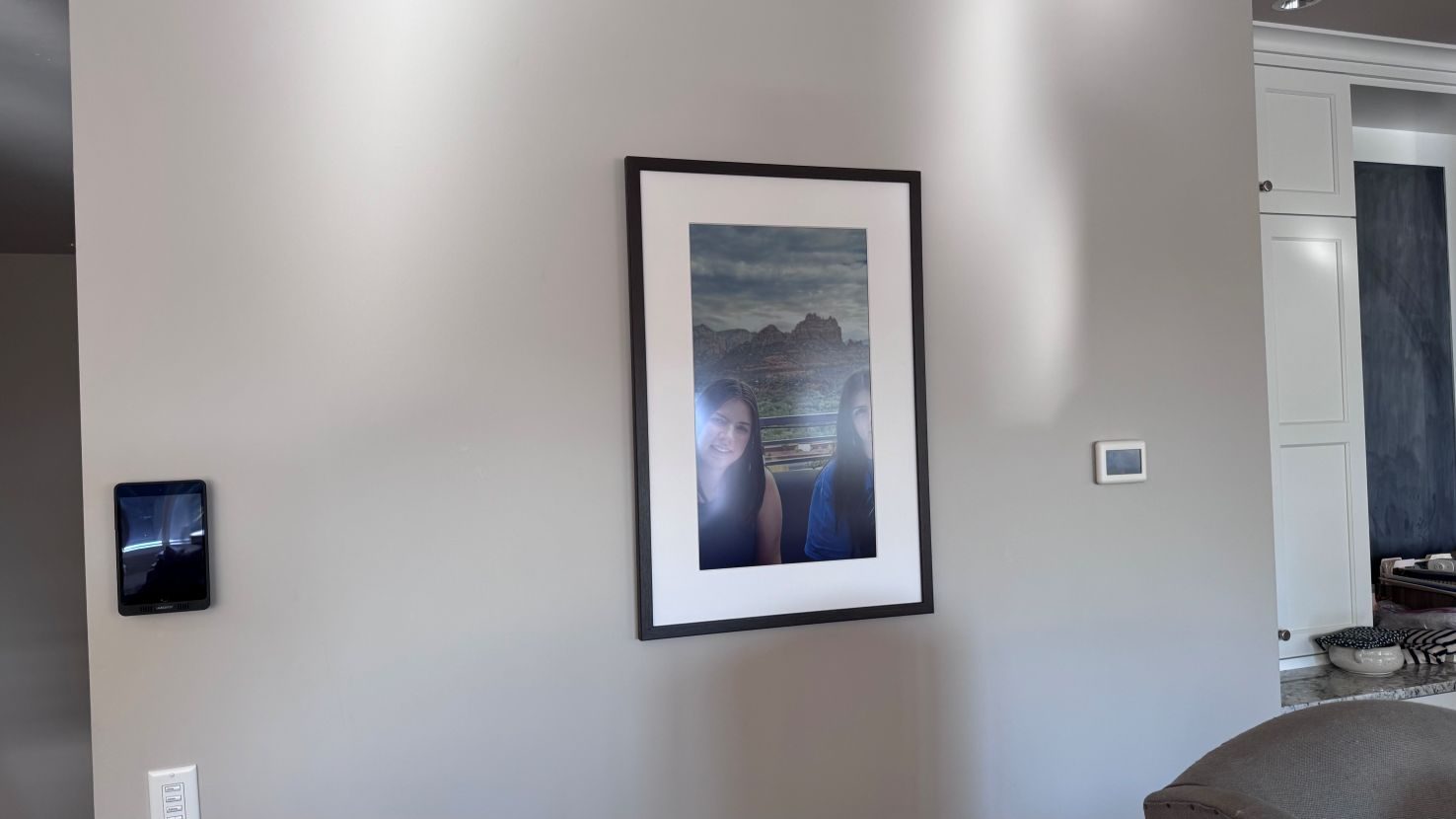
What I found, though, is that under the lights in my dining room, the Fraimic picked up a lot of glare, matte finish or not. When I moved it somewhere darker, there were times it was too dim to see well at all; it looked its best in natural sunlight. A printed painting has the same issue to some degree, but I noticed it a lot more on the Fraimic Canvas.
And to be fair, Fraimic is very upfront about this. Its FAQ says the display relies on ambient light and suggests room lighting or a nearby lamp in low light. That’s fair advice for dim spaces. In my case, though, the overhead lights were causing trouble in the first place. What you want is a spot with enough light to see the image clearly, without so much direct light that it reflects off the screen.
I’m not sure how Fraimic fixes this, since adding a light would defeat the point of E Ink. So plan carefully where you hang it. A wall that gets decent indirect daylight is probably the way to go. Avoid bright overhead fixtures and dim hallways if at all possible. Anyone eyeing the Large Canvas should think about placement even harder, because a bigger screen catches more reflections.
Voice-to-Vision works, if you remember how to use it
One of the main selling points of this Canvas is what Fraimic calls Voice-to-Vision. A microphone is built into the frame so it can hear your voice. You tap the bottom right corner of the matte, say your prompt, and tap again, and the frame sends it off to an OpenAI image model. I gave it a couple of minutes and the new art shows up on the wall. And for those worried about privacy, the mic only listens after you tap it, so it supposedly isn’t sitting there recording you all day. Overall, the AI feature generally works. I asked the Canvas to make some fantasy images of scenery, and it sent back AI artwork of it. And it came back more polished than I expected.
However, the interface to use this technology was difficult for me to use. With no buttons, it’s easy to forget where you’re supposed to tap and what order the steps go in. A colored light shows what the frame is doing, but my guests and I had a challenging time figuring out what each color meant. There are seven different states: solid red for recording, blinking red for an error, pulsing white for processing, blinking yellow for a canceled request, magenta for a firmware update, blinking green for charging, and solid green for fully charged. That’s a lot to ask of one small light. A frame you’re supposed to talk to shouldn’t need a cheat sheet taped next to it, and that’s basically what I had to do.
Going buttonless also caused other challenges for me. The touch areas are sensitive, and Fraimic’ s own FAQ admits that bumping the frame while moving it can start a recording and, with a second accidental tap, generate an image. If you mess up a prompt, a triple tap on the corner cancels it. And if you don’t want the AI feature at all, you can turn Voice-to-Vision off completely through the website settings.
But how do the AI credits work?
You get 100 AI generations a year for free, and they refill every year. If you make new art now and then like me, that’s more than plenty. A household that wants a fresh picture every morning will burn through it well before the year is out, and a couple of retries to get a prompt right adds up fast – my friends and I burned through at least ten different AI-generated images while giving it a try. You can purchase more credit through your account, though. Depending on the package you get, it can map out 12 to 20 cents per image, possibly less if you want to spend more on a larger package.
Fraimic’ s FAQ also mentions an annual membership with unlimited credits. So, the “no subscription” claim holds up in the sense that nothing is required, but there is an optional one for people who get hooked on the AI side. I would be curious to figure out how many people are constantly generating AI images, though. It feels like a novelty feature to me, but a very cool one to have. On the positive side, AI features are the only part of the Fraimic that costs anything to keep using. Uploading your own photos, building albums, running slideshows, and browsing the art gallery are all free.
Battery life: years, or a day
The Fraimic Canvas runs off a 10,000mAh battery that charges over USB-C (without the charging brick), and the company says it can last years. Its FAQ puts the Standard Canvas at up to about three years with roughly one image change per day. That’s true, but not how you will likely use the Canvas.
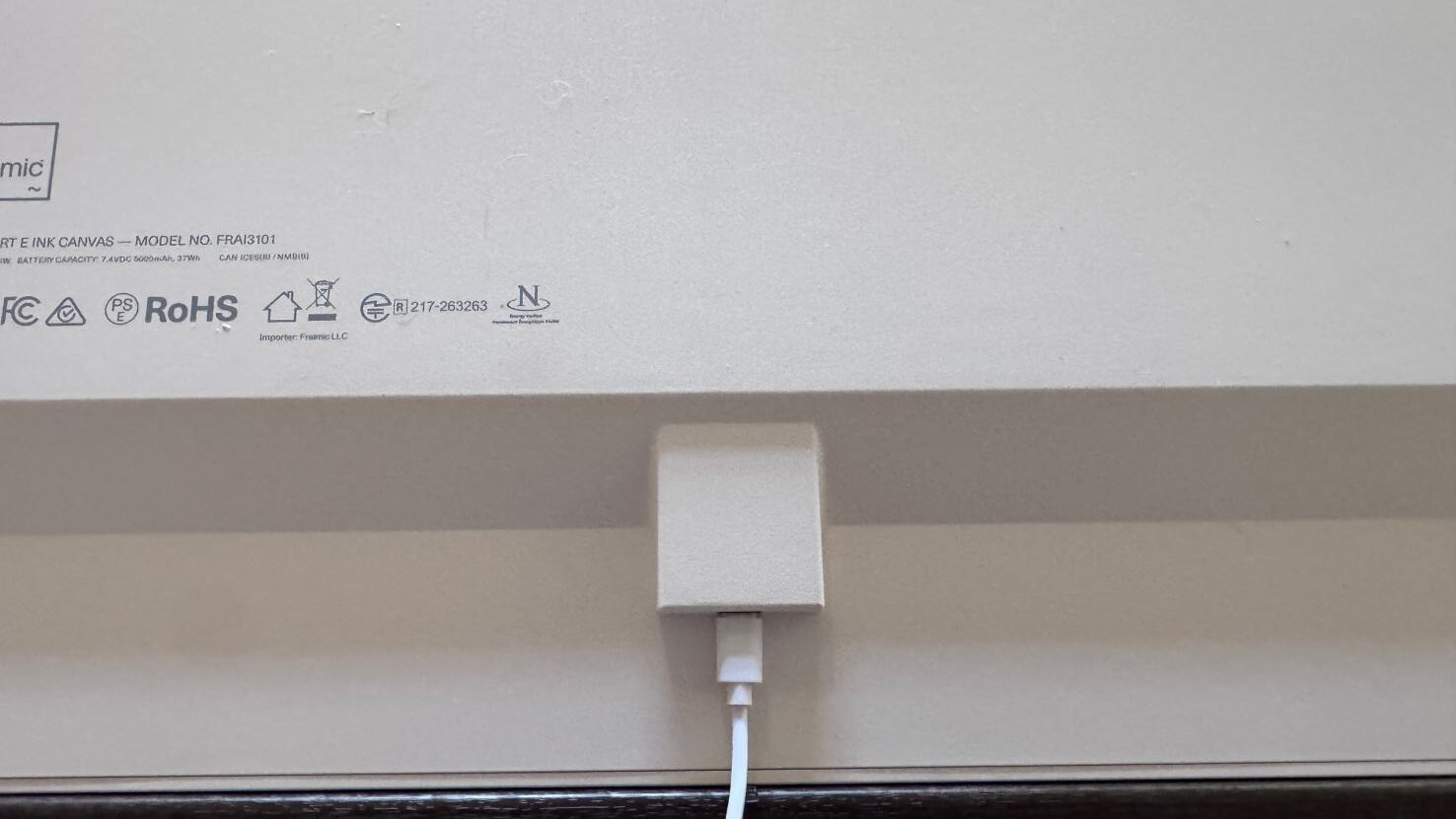
The great thing about E Ink is that it only draws power when the image changes, so once the image is drawn and sitting on the screen, it doesn’t continue to use power. So, if you want to conserve power, you need to turn off all the extra features and make sure the art only rotates occasionally. When I did exactly that, the power essentially didn’t drain in the 3-4 weeks I had my review unit.
However, if you want to use the AI features, or set the frame to refresh every 15 minutes, for example, the Canvas can drain in about a day – but again, that is with most features turned on. And unfortunately, some of the features you might want to use depend on that always-connected mode. Fraimic’ s “Always Awake” setting is what lets you push a new image to the frame from anywhere, without walking up and tapping it first. My recommendation is to turn that feature off and get used to tapping the canvas to wake it up.
The good news is that when the battery does run low, you can keep using the canvas while it charges over USB-C. E Ink will hold an image without power, so the last picture stays on the screen even if the battery dies.
No app support, but works without it
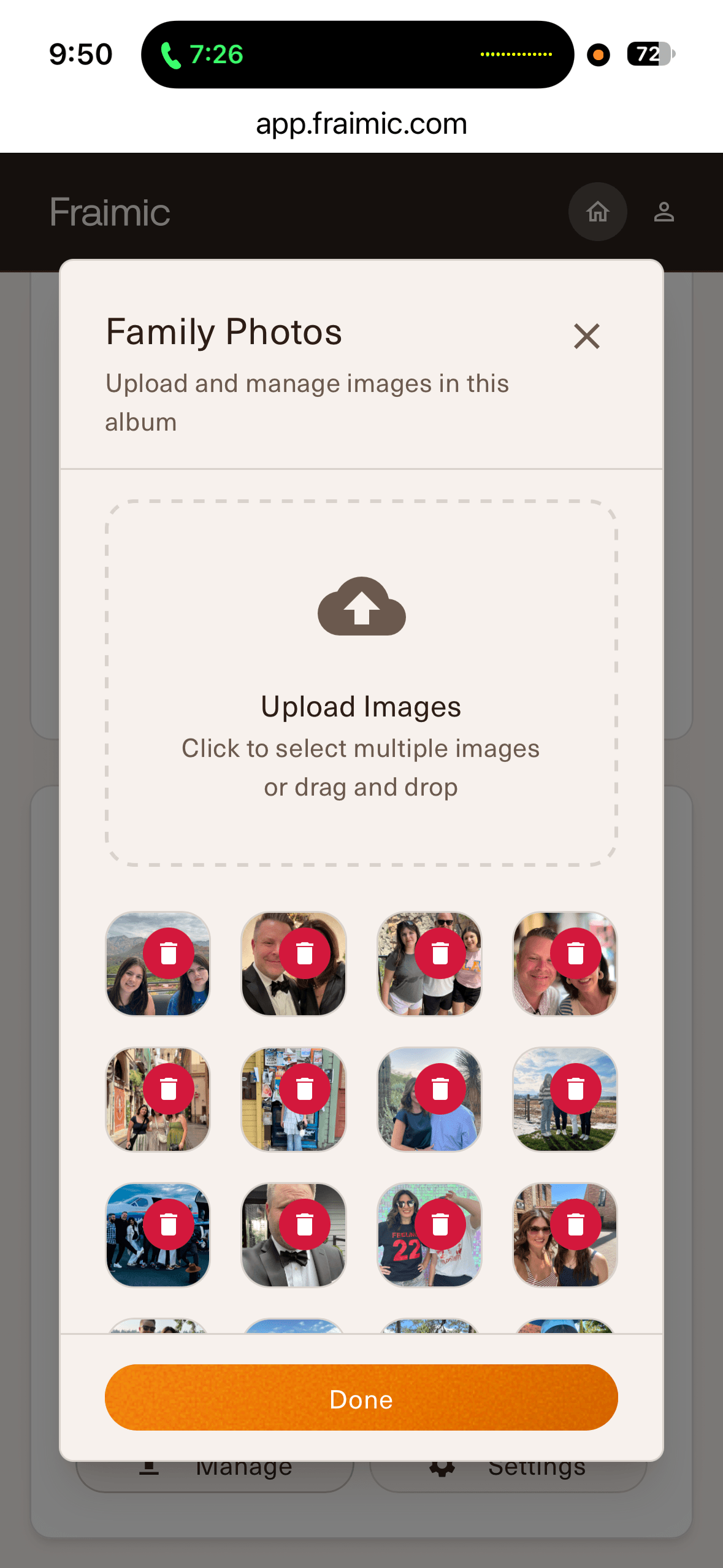
Fraimic deliberately doesn’t require an app or a minimum subscription. Everything runs through a web interface at app.fraimic.com, where you can upload and crop photos, build albums, set up slideshows, and browse a gallery of public domain art from The Met. It supports multiple users, so I was able to add family members, and you can add images from your own phone. The Canvas supports JPG and PNG files up to 35MB, but animated GIFs aren’t supported, which makes sense given how slowly E Ink refreshes.
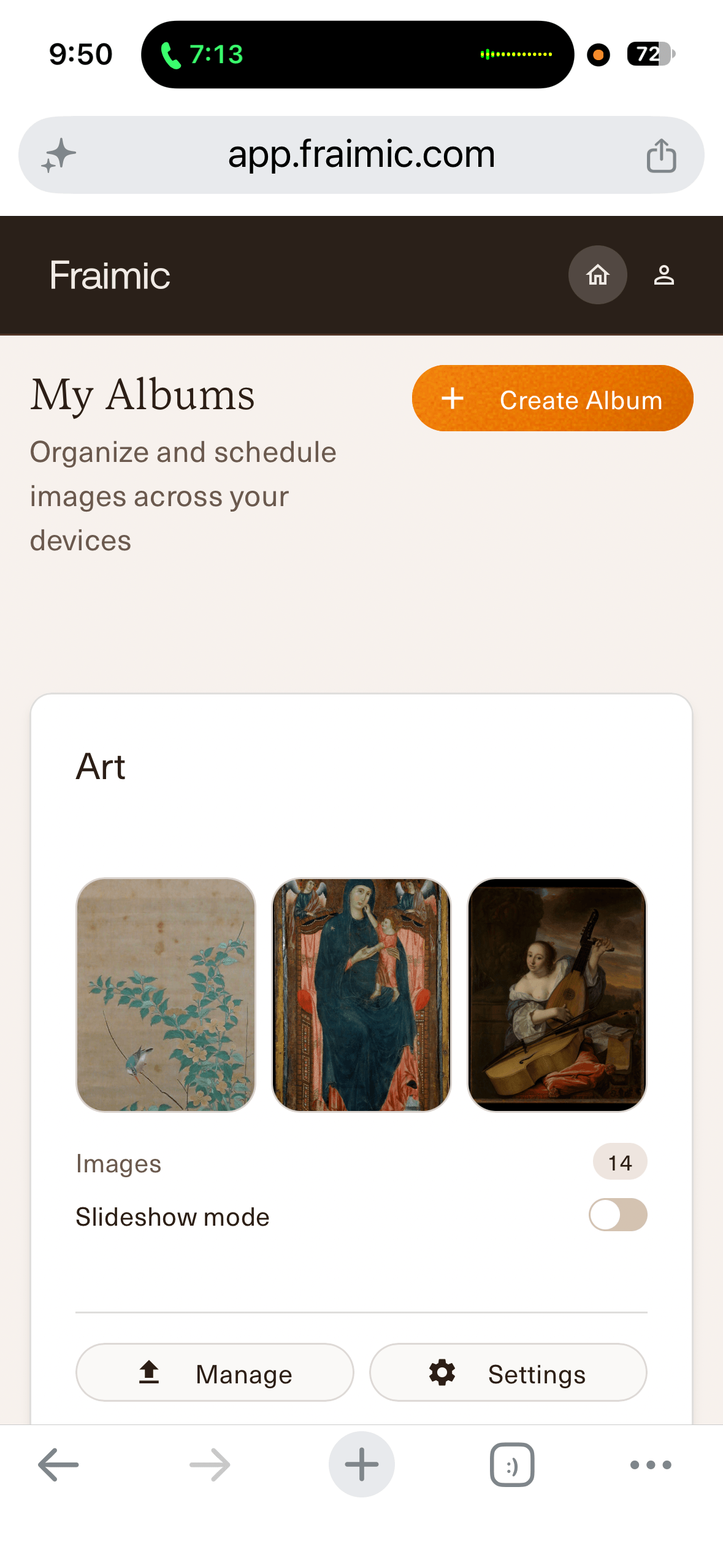
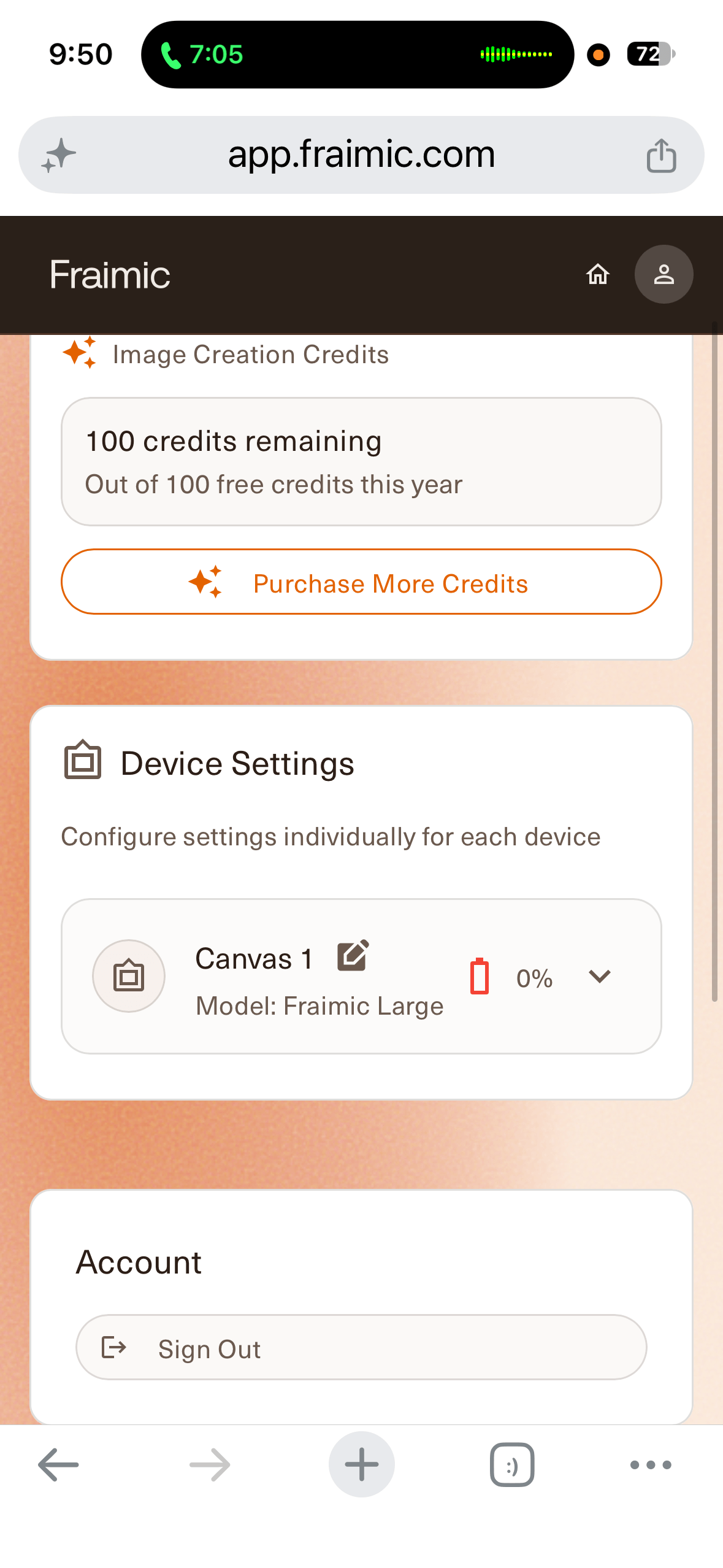
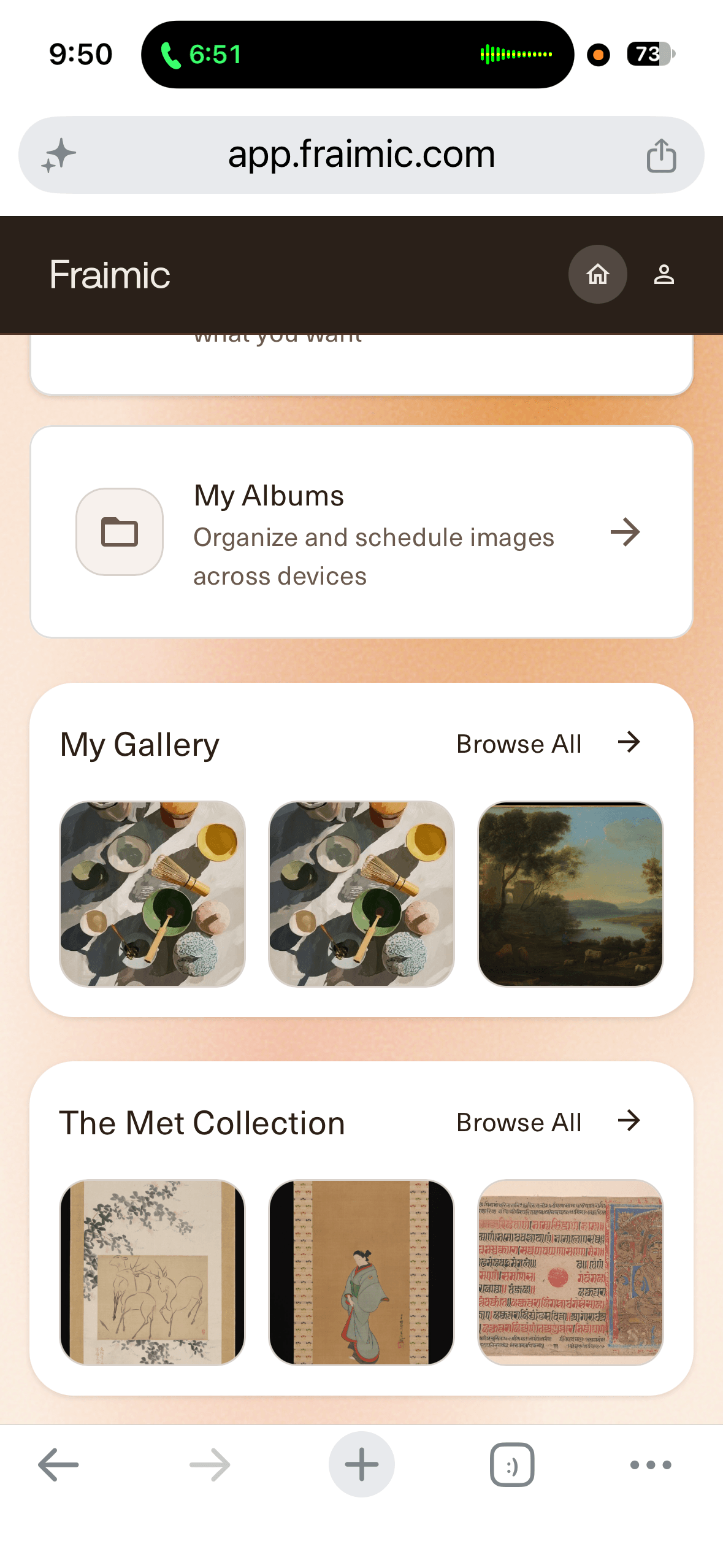
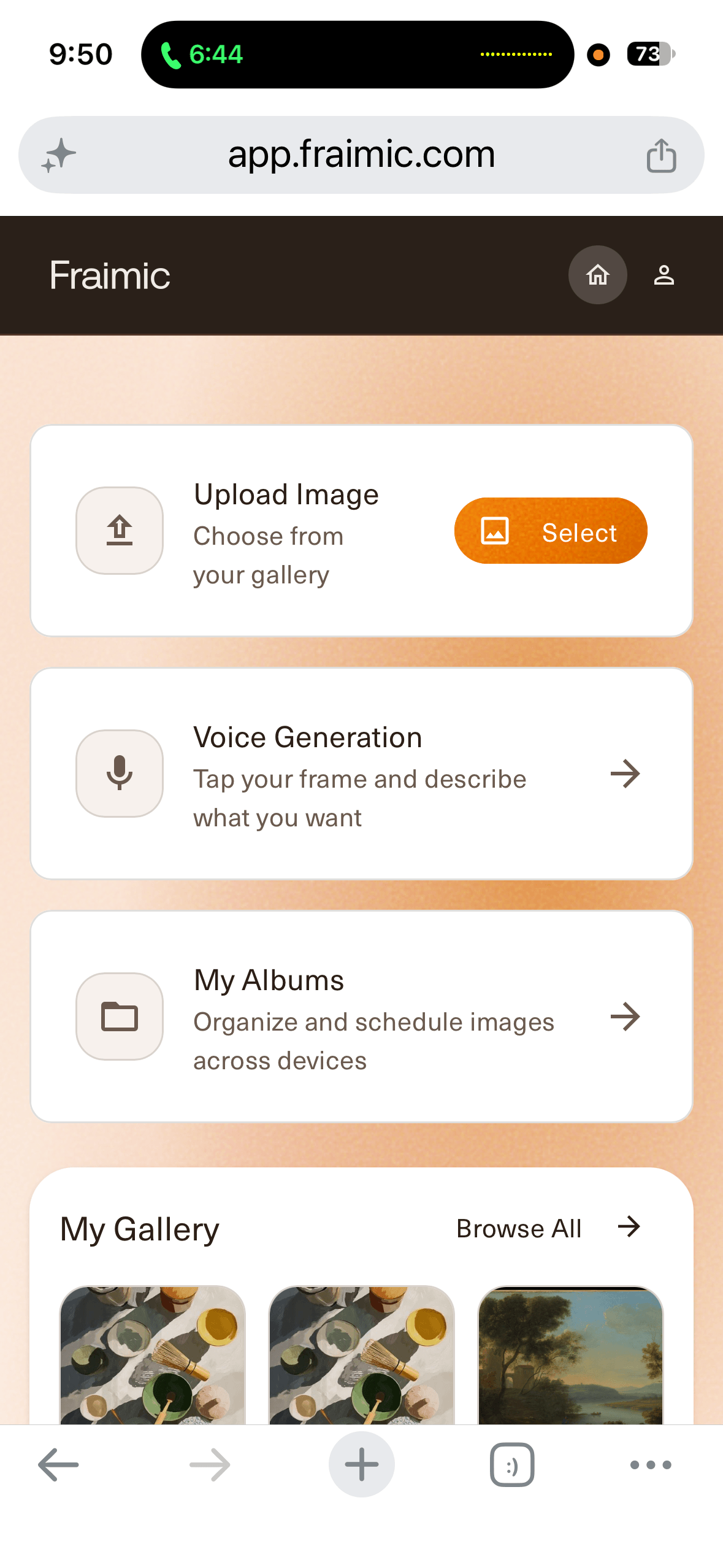
You can also reach the frame directly on your local network, which is nice if you care about privacy or worry that the company’s servers might go away someday. The local page is more bare-bones than the main site. It’s worth noting that images have to be converted to a special file format before you can upload them locally, but Fraimic posts a conversion tool on GitHub for that. It is more trouble than I wanted to deal with.
The local network page worked fine for me, but I’d still rather have an app, though. A browser bookmark gets the job done, but it feels like a step back when every other smart home device I own has its own icon on my phone.
For those worried about sharing their data or who have privacy concerns, Fraimic says uploads are stored encrypted on AWS (Amazon Web Services) and that it doesn’t use your images to train AI models. But if you’d rather keep everything off the internet, the local-only mode lets you do that, though you lose the Voice-to-Vision feature since image generation needs the cloud to do so.
Swapping out the frame is a great feature
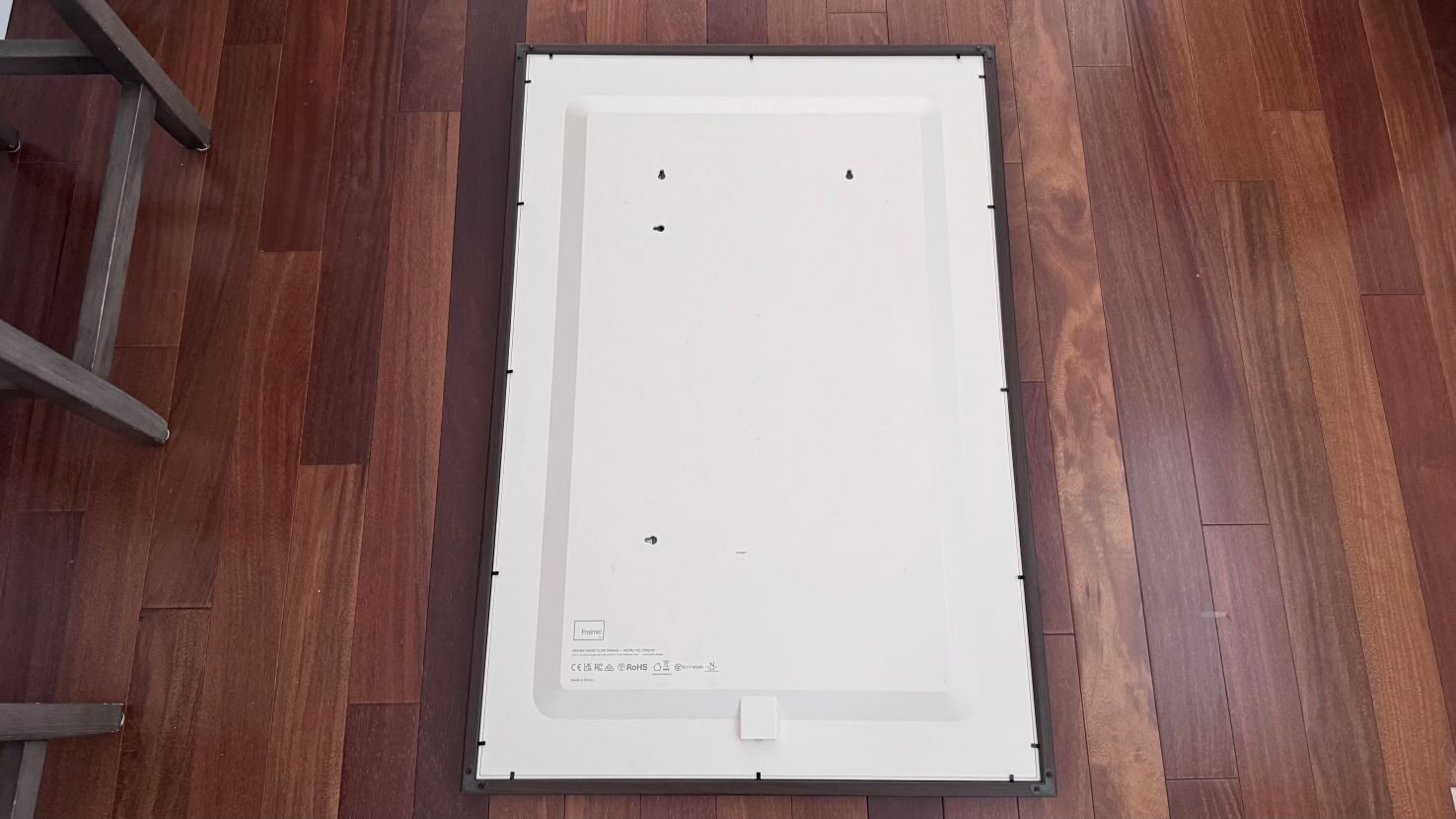
The Fraimic Canvas ships in a dark walnut frame that looks good on its own, but what’s really cool is that the canvas pops out and fits any standard frame of the same size: 14 x 18 inches for the Standard, 24 x 36 inches for the Large.
My wife was more excited about this than anything else. It meant she could pick a frame that suits the room, rather than building the room around the frame. That sounds minor, but it’s what makes the Fraimic Canvas feel like decor and not a toy. It should help the Fraimic age well, too. Standard frame sizes are easy to find at any craft or home store, so if your style changes in five years, the Fraimic can change with it. Most digital frames lock you into whatever bezel they shipped with, and historically digital frames almost always go with an ugly techie look.
The one design complaint I’d pass along from my wife is the mat. It’s wide, and the screen is a lot smaller than the frame around it. That’s on purpose, though, since the whole look is meant to mimic a traditional matted print. Just don’t expect edge-to-edge art if that is important to you. The canvas housing is mostly plastic, too. I couldn’t notice from across the room, but you can tell when you get closer to it.
Smart home extras
If you like to tinker with your tech, there’s more here than you’d expect from a picture frame. You can schedule artwork using albums and slideshows. There is also a REST API and an official Home Assistant integration, both explained on Fraimic’ s GitHub, so the art on your wall can become part of your automations. You could have it show a holiday image on a schedule, for example, or change the art when a scene runs. New features can be pushed to the Canvas via OTA updates.
Should you buy?
If you want art that you can swap out whenever the mood strikes, and you’ve got a spot with decent natural light, the Fraimic Canvas is a high-quality product to have. It really does look like a painting, and between the missing cord and a canvas you can drop into your own frame, it’s easy to live with overall.
I like the idea of rotating art or family photos without running a cable down the wall, as long as they’re OK with the image changing once a day or less. Smart Home tinkerers will get even more out of it since the local API gives it a life beyond Fraimic’ s own software.
I would avoid buying this if the wall you have in mind sits under bright overhead lights or in a dark hallway. The same goes if you mostly want to show portraits of people, or if you expect to change the image many times a day. Any of those setups means constantly working around the display and battery limitations.
I would buy it with realistic expectations, as well. Where you hang it matters more than anything else. The voice feature takes some getting used to, and the long battery life depends on keeping things simple. The $399 Standard is the easier one to recommend. The $1,299 Large is a real splurge but will draw a lot of attention, and I’d only buy it if you already know exactly which wall it’s going on. And keep telling yourself that it’s not a backlit screen. It’s not a monitor. Do that, and you won’t be disappointed by its lack of brightness. Keep telling yourself, “This is a painting on the wall,” and you’ll be very happy with it.
Why not try
The Fraimic Canvas isn’t the only color E Ink frame anymore. Ugreen just announced its Gallery frame with the same 13.3-inch Spectra 6 panel and the same 1600 x 1200 resolution, at a $299 preorder price and an expected $439 retail price. PocketBook sells its InkPoster line with Spectra 6 as well. If you only want to display your own photos and don’t care about voice-generated art or extra features, those are worth a look.
Samsung’s The Frame and similar art-mode TVs such as TCL NXTVISION and Hisense S7 Series Canvas sit at the opposite extreme. They’re much brighter and sharper, and they handle dim rooms without a problem, but they’re TVs. They need a power cable, and they glow, and up close there’s no mistaking them for anything but a screen. Avoiding that look is the entire point of the Fraimic Canvas.
Right now, the Fraimic stands out for how much it puts in one package. You get Spectra 6, no cord, voice-generated art, and local control, plus a canvas you can drop into your own frame. Other frames have some of those. I haven’t seen another one that has all that the Fraimic Canvas has.
FAQ (Frequently Asked Questions)
What’s the display technology at play?
It’s an E Ink panel without backlight.
Is subscription mandatory?
No, regular use and web features are free.
How long does the battery last?
Fraimic touts multi-year battery life because the device only uses power when refreshing the image.
Does it mandate a mobile app?
No, you can get the job done with a web browser, too.
What kind of photos can it display?
It can handle photos uploaded from your phone’s gallery, or you can create artwork using the built-in Voice-to-Vision AI tool.
Can it work offline?
Yes, image sharing works without requiring any internet access.